Scoped review · Bookkeeping
Gusto, tested from the outside
We tried to review Gusto the way we review everything — and hit a wall we refused to click through. Here is what a payroll platform looks like when you test it honestly from the outside: verified pricing, the partner program's actual economics, the demo's four scripted stories, and the one thing we know about Gusto that nobody else does — how its output behaves downstream in seven bookkeeping tools.
Some links below are affiliate links — if you subscribe through one, we earn a commission at no extra cost to you. It never changes a verdict; every tool runs the same test books. Full disclosure
Every review on this site follows the same recipe: sign up, run our fictional landscaping company through the product, score what actually happens. Payroll breaks the recipe. You cannot run payroll for a company that doesn’t exist — real payroll onboarding demands a real EIN, a real bank account, and identity verification we will not fake. And Gusto’s accountant dashboard, the part our readers care most about, sits behind a signup question we’ll show you in a moment — one we answered honestly, and were shown the door for it.
So this is a different kind of review, and we’d rather tell you that in the second paragraph than let you discover it in the footnotes. What follows is everything a careful buyer can verify from the outside: pricing from the live page, the partner program’s actual economics, what Gusto’s own demo does and doesn’t show — plus the one thing this site knows about Gusto that no other reviewer does, because Gusto’s output has flowed through every one of the seven tools we’ve lab-tested, and we kept the receipts.
And the timing matters more than we planned. Twelve days before this article published, the payroll question for half our readers changed shape entirely.
Pricing, verified
From gusto.com’s pricing page, August 16, 2026. Employer signup states “don’t pay a cent until you run payroll” — there is no trial clock at all, just a meter that starts with your first pay run.
| Simple | Plus | Premium | Solo | |
|---|---|---|---|---|
| Base per month | $49 | $80 | $180 | $49 |
| Per person per month | $6 | $12 | $22 | $6 |
| Aimed at | Single-state payroll | Multi-state, HR, time tracking | Full service, dedicated support | S-corp solopreneurs |
| A 4-person client costs | $73/mo | $128/mo | $268/mo | — |
Numbers age; the pricing tracker carries the current, dated verification for every tool we test.
Two footnotes the pricing page won’t give you. First, the $35/month contractor-only plan that 2026 third-party pricing guides still quote is not on the page — we looked. Either retired or hidden, and either way it’s the reason this site verifies prices on the vendor’s own page, dated. Second, the Solo plan is for you, not your clients: $49/month buys an S-corp solopreneur compliant self-pay, a reasonable-salary calculator, and S-corp election support. If your own firm is an S-corp, the tool you’d resell to clients also does your own salary.
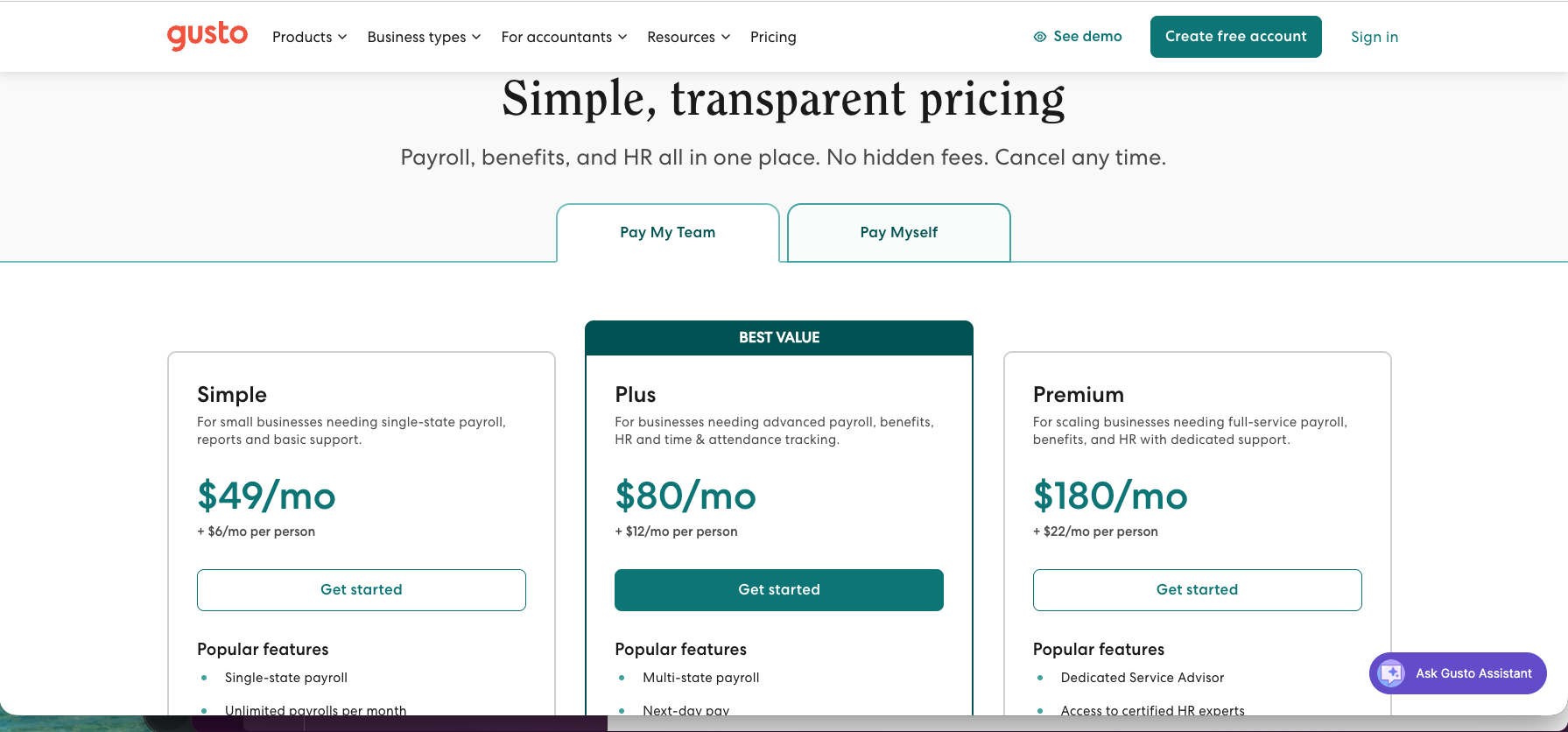
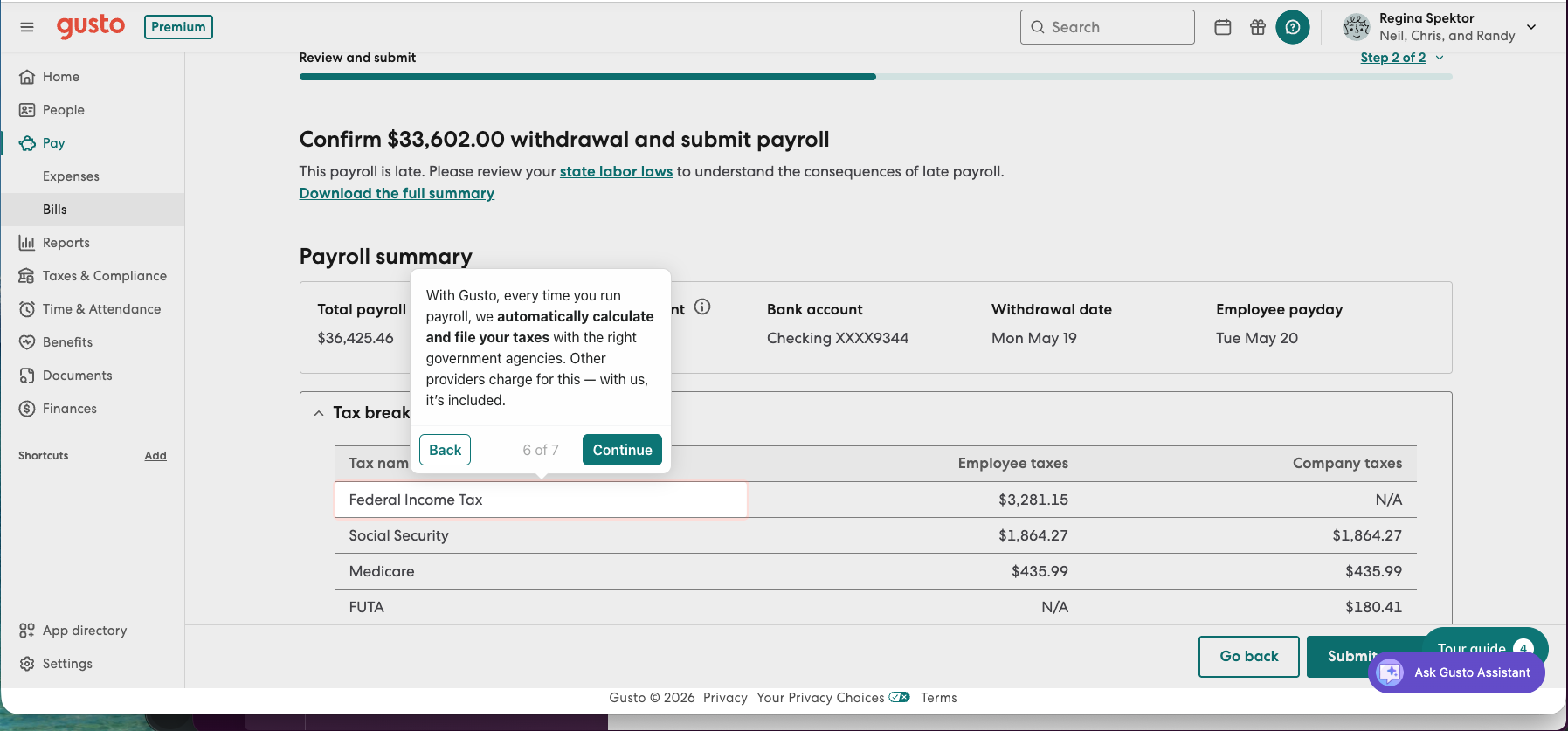
Tax filing — calculation, remittance, federal and state filings — is included at every tier. Gusto’s own demo makes a point of saying so: “Other providers charge for this — with us, it’s included.”
The question at the door
Gusto Pro, the accountant dashboard, is free. The partner program attached to it pays tiered revenue share up to 20% of client subscriptions, and — at the time we signed up — a limited-time $400 bounty for every client you introduce to Gusto Payroll. You choose the economics per client: client pays Gusto and you collect revenue share; client pays a discounted rate and you collect nothing; or your firm is billed wholesale and you set your own retail price. That’s a real channel business, and it explains something you should know when you read any review of Gusto by anyone who runs client payroll: most of the people writing about this product are inside its referral economy.
The signup form asks for no license and no credential — just firm name, client counts, a website. Then it asks this:
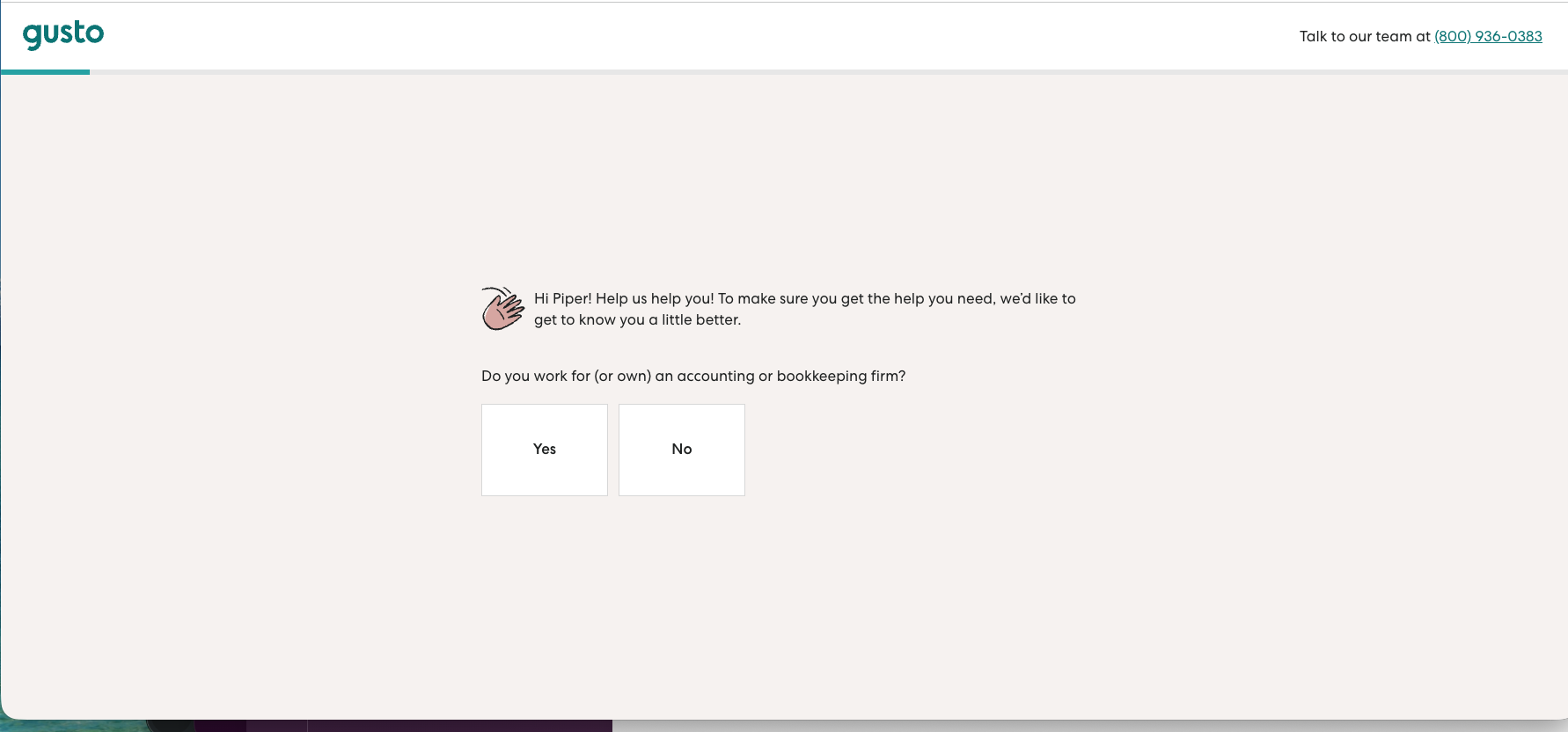
We are not an accounting or bookkeeping firm. We’re a testing publication. We clicked No:
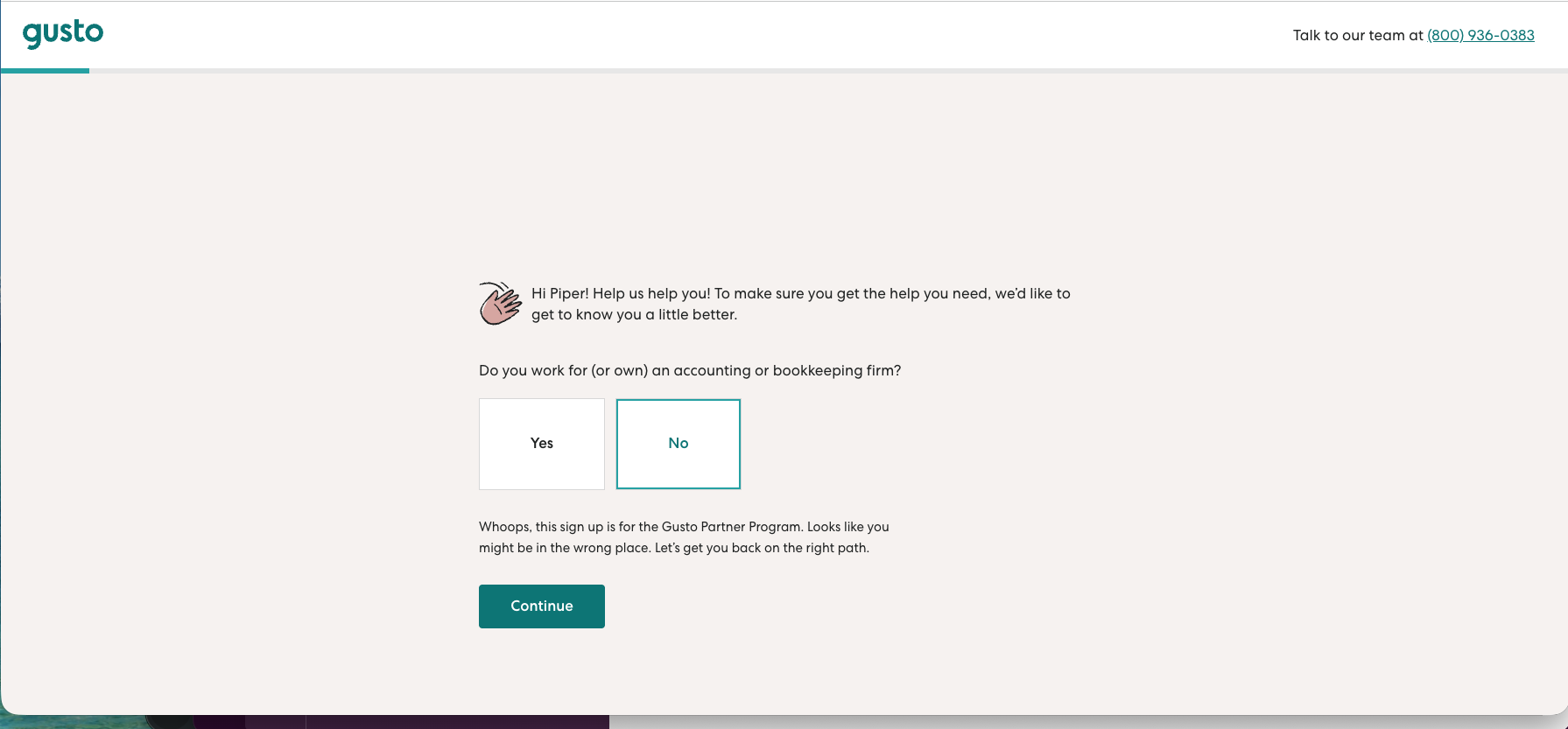
So there is no Gusto Pro walkthrough in this review, because the only way to get one was to claim, in writing, to be something we’re not. Note what the gate is, though: an honor-system checkbox. No verification stands behind it. Anyone reading this who ticks “yes” is a “partner” — which tells you the gate exists to segment marketing, not to protect anything.
What the demo shows — and what it won’t
Gusto’s public “See demo” costs a lead: name, work email, company, and phone before the door opens. What’s behind it is a scripted click-through (built on Navattic) of a sample company at the Premium tier — exactly four guided stories: payroll, benefits, hiring, performance. Free navigation is locked. There is no accountant-facing tour, no reports tour — consistent with the gate: Gusto shows accountants nothing publicly.
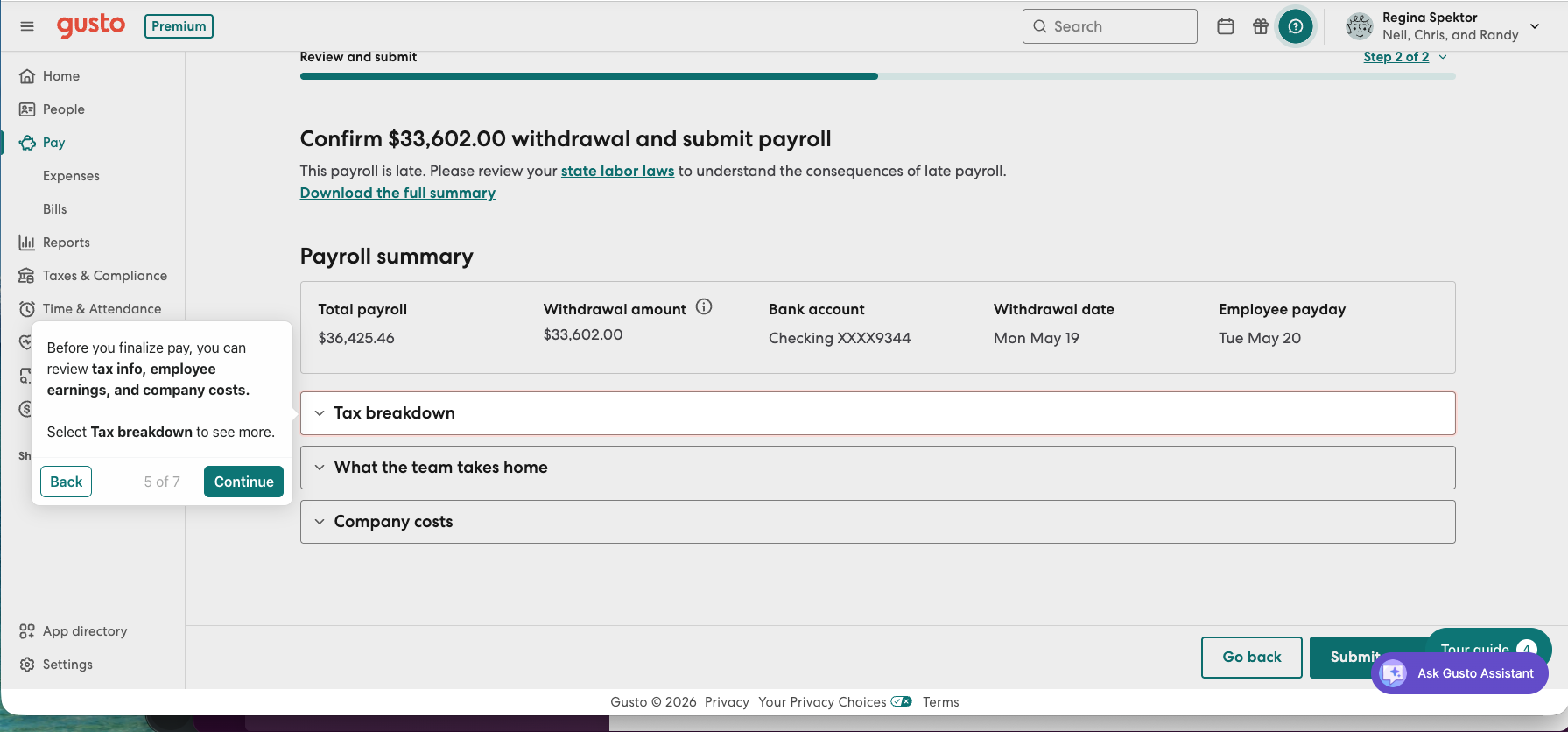
The payroll story is genuinely informative. The run screen is a per-employee grid with columns for bonuses, cash and paycheck tips, commissions, corrections, and reimbursements; the review screen is where the client education lives:
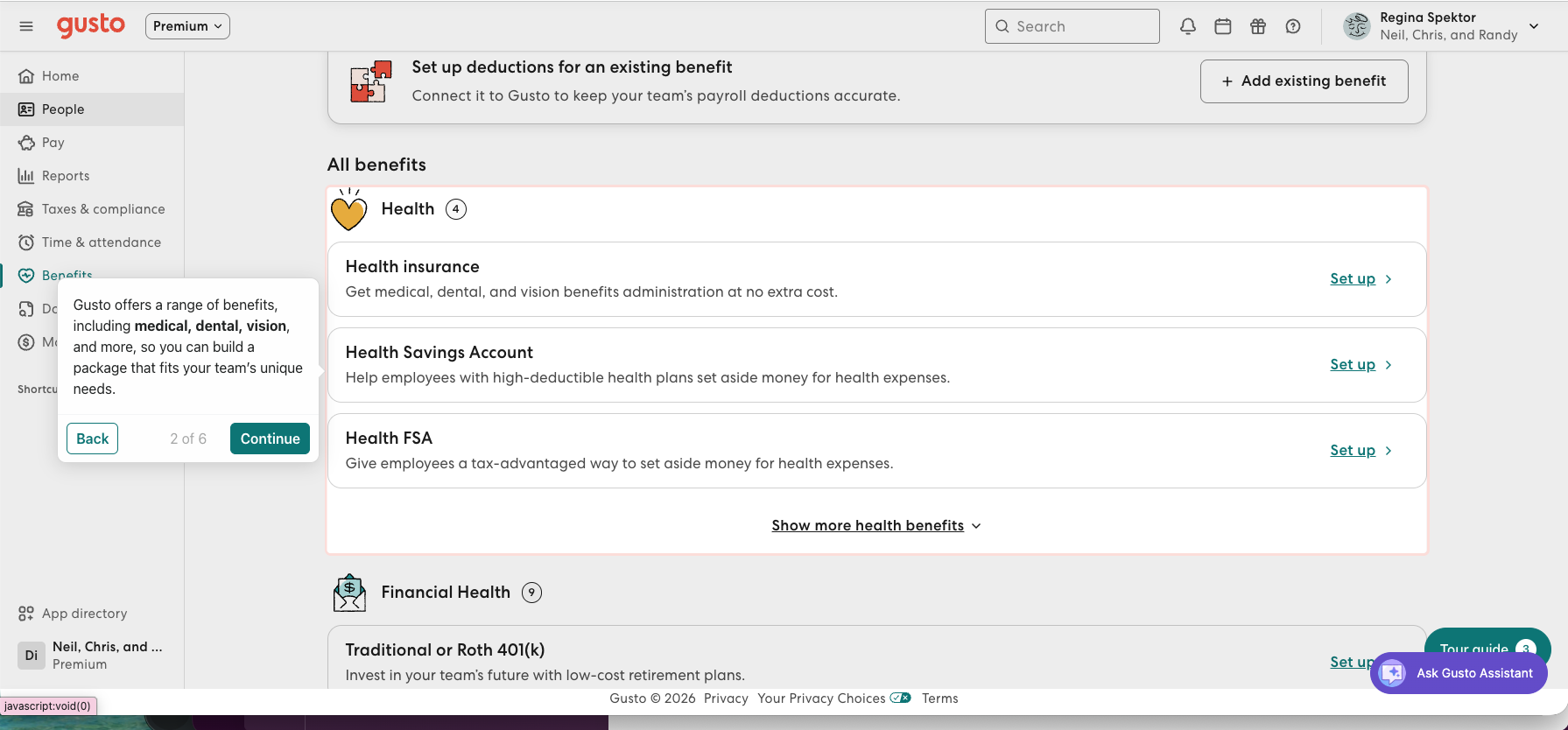
The benefits story is where the add-ons economics live, and the mechanics deserve one honest paragraph: Gusto’s health benefits administration is “no extra cost” because Gusto is the insurance broker — carrier commissions pay for it. That’s not a criticism; it’s how the whole small-business benefits industry works. But “free benefits admin” is a broker acquiring you, and a bookkeeper should say that sentence to a client before the client says “it was free” to the bookkeeper.
The catalog runs from the expected (401(k), SIMPLE IRA, workers’ comp) to the custom long tail — and the custom-benefit builder is where your future journal entries are born:
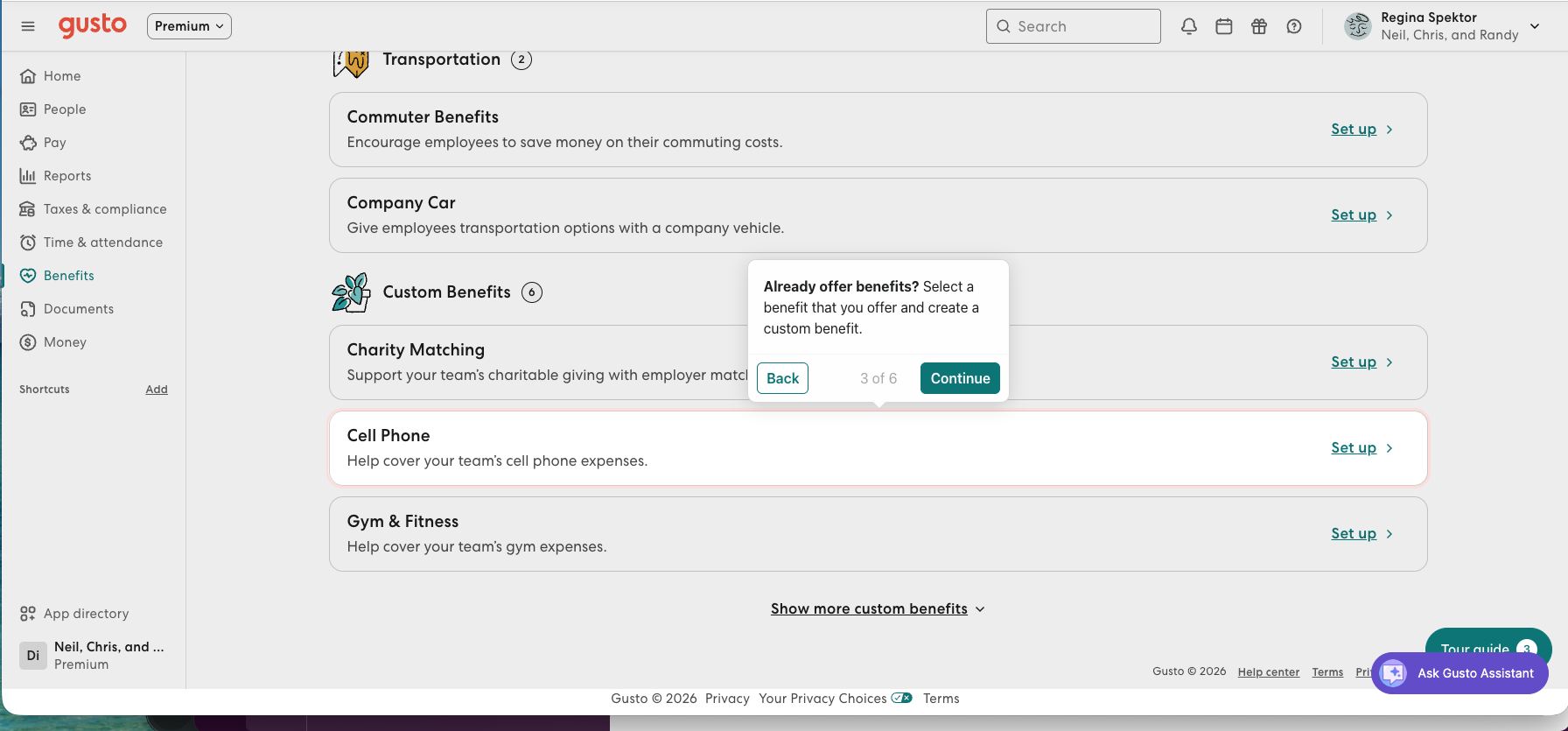
When we built a custom benefit in the demo, the setup screen carried an inline note that fringe benefits like it get no special tax treatment and land as taxable wages on the paystub — embedded tax education at the exact moment someone is about to get it wrong. It’s the small thing that impressed us most in forty minutes of scripted demo.
What we already knew about Gusto
Here’s the part no other Gusto review can offer. Our test company runs Gusto as its payroll vendor on paper — every ledger and capture tool we’ve tested has had to digest Gusto’s output. The receipts:
- The ledgers. QuickBooks Online suggested three different categories for identical Gusto payroll debits — Insurance, Legal, and blank — until roughly 150 corrections taught it better. Xero, given one example, categorized every subsequent Gusto line correctly.
- The capture tools. We planted a Gusto payroll summary — a split-total document — in our receipt-capture test. Hubdoc failed it loudly (a visible extraction failure). Dext extracted the $3,367.15 instantly, then silently published an AP draft nothing could ever match against the bank feed — the quiet failure that costs more.
- The close layer. Double’s transaction review flagged our perfectly legitimate Gusto wage-vs-tax splits as “inconsistencies” until we taught it to exclude them.
The pattern worth a sentence: Gusto’s output is clean and consistent — and it still confused half the stack downstream, because payroll splits one economic event into several ledger lines. Whatever payroll tool your client uses, that translation layer is the actual job your client thinks happens by magic. It’s also the strongest argument for what happened on August 12.
The August 12 turn
Twelve days before this article published, Xero launched embedded US payroll — powered by Gusto. Not an integration: payroll inside Xero, flowing straight to the ledger, with unlimited runs, tax filings, direct deposit, W-2s and 1099-NECs, and employee self-service. Xero’s US CEO framed it plainly: small businesses “expect the tools they use to work together, not operate in silos.”
For a Xero practice — and Xero is the ledger our lab scored highest — the question this article set out to answer (“which payroll add-on?”) now has a fork in it:
| Gusto direct | Payroll inside Xero (powered by Gusto) | |
|---|---|---|
| The engine | Gusto | The same Gusto, under Xero's shell |
| Ledger sync | Bill or manual journal per run, accounts mappable | Native — flows to the GL by design |
| Accountant console | Gusto Pro (behind the firm gate) | Xero's own practice tools |
| Partner economics | Rev share to 20%, client bounties | Xero partner program |
| Add-ons surface | Full catalog (benefits, HR, hiring) | Payroll-shaped; early days |
| Vendors to manage | Two | One |
It’s early — the embedded product launched days ago, pricing details are still settling, and first releases of anything deserve a quarter of seasoning before you move clients onto them. But the direction is clear, and it rhymes with what our downstream evidence says: the value was never the payroll run — Gusto’s demo proves that’s a solved problem — it’s the translation into the books. Xero just moved the translation inside the house. If you run a Xero practice, the right move this quarter is probably: keep existing Gusto clients where they are, and evaluate the embedded product on the next new client instead of defaulting to another standalone signup.
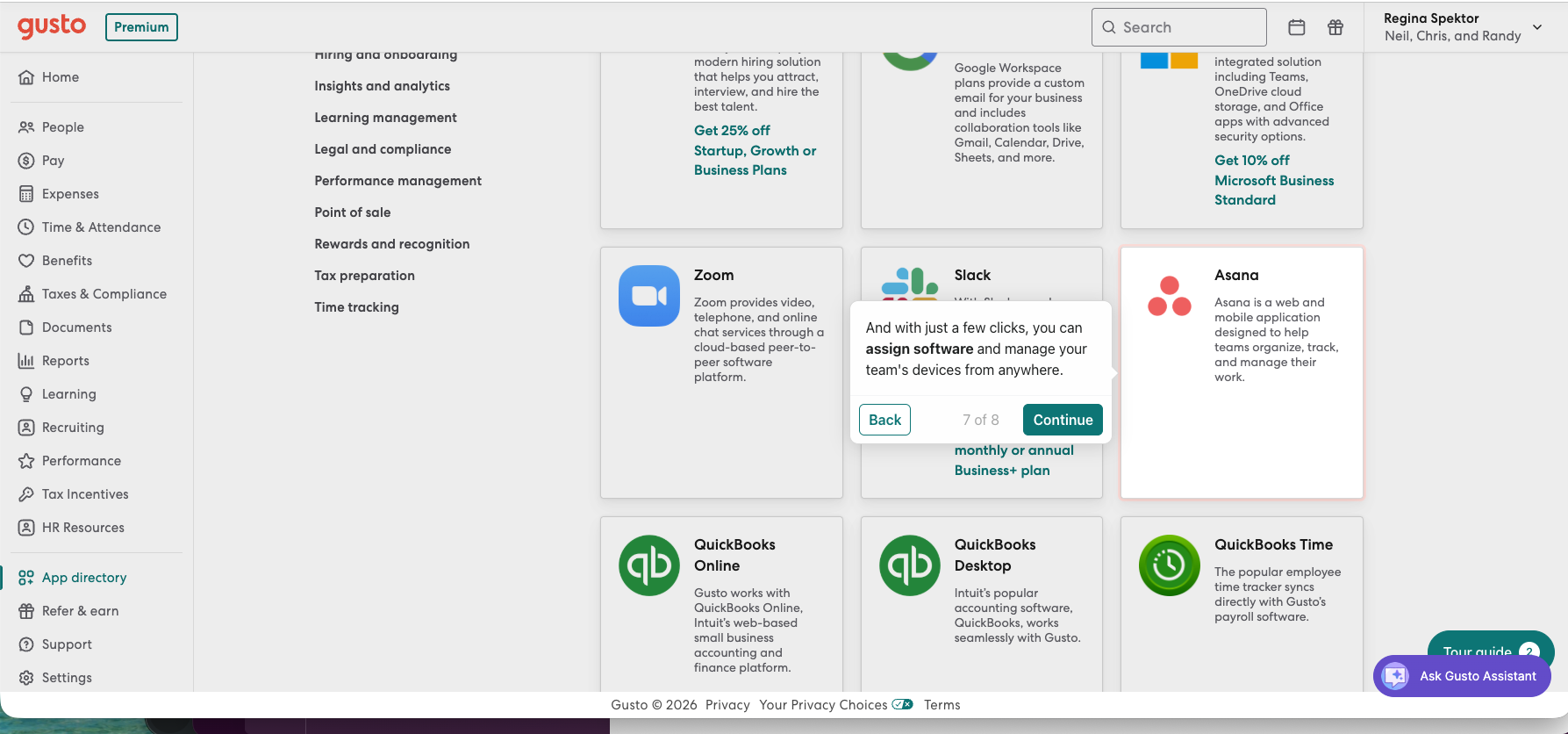
One more integration note for everyone else: the standalone Gusto↔Xero sync exists on every Gusto plan (bill or manual journal per pay run, mappable accounts), and the demo’s app directory leads with QuickBooks Online, Desktop, and QuickBooks Time — QBO practices are equally served, just without an embedded option.
What we couldn’t test, named
In keeping with how we work, the list of what this review does not know: whether Gusto’s tax filings are accurate and on time (the thing that matters most, and the thing no demo can prove); what support is like when a filing goes wrong; how painful state-agency registration and mid-year migration really are; and everything inside Gusto Pro. If we ever run a real company’s payroll on it, those get tested the lab way. Until then, treat those questions as open — and treat any review that claims to have answered them from a demo with suspicion.
What practitioners say
Alyssa Lang — the bookkeeping-practice systems coach behind Workflow Queen, whom we quoted on Double — wrote about running client payroll on Gusto from her own firm:
“In my bookkeeping and tax firm, I used Gusto to run payroll for my clients. I got great feedback from clients about how easy it was to use the software - and I thoroughly enjoyed it too!”
The disclosure that makes her praise more informative, not less: her post opens with an affiliate-links notice and closes with a Gusto referral button offering a $500 gift card for registering three clients — she is, transparently, inside the exact channel economy we described above. Her experience is real and her incentives are visible, which is more than most payroll reviews give you. We have no relationship with Gusto or with her.
Verdict
This review was conducted without a Gusto account: prices from the live pricing page (Aug 16, 2026), partner terms from Gusto’s public partner pages, product observations from Gusto’s own lead-gated demo, and downstream evidence from our prior lab tests. We answered the partner program’s firm-attestation question truthfully and were declined — the fastest rejection in this site’s history, and the most honest thing in it. Affiliate links, where present, are disclosed and never touch a verdict; as of publication we have no relationship with Gusto. Our test books remain downloadable.
Filed under: gusto · payroll · xero · partner program · review